- Use cases
- Generative AI invoice capture for Business Central
Document Capture
Generative AI invoice capture for Business Central
Generative AI reads your most complex invoices and uses your own prompts to shape the data exactly the way you need it, right inside Document Capture.
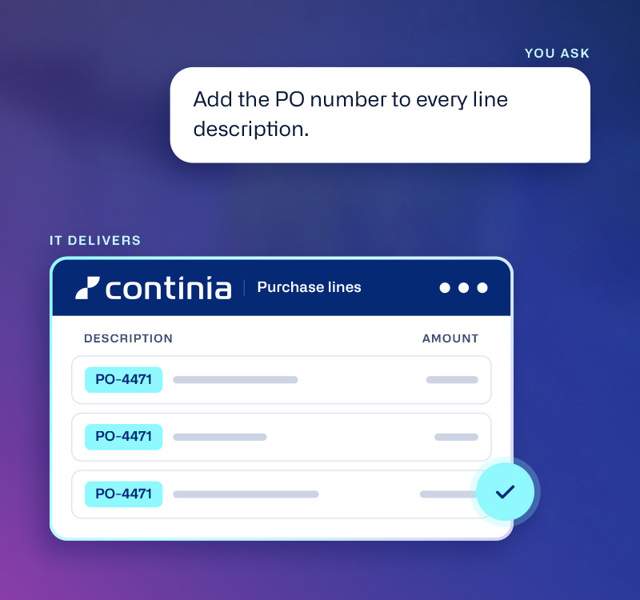
Process complex invoices with less manual work
Every business has a handful of vendors whose invoices land up in the exception pile due to inconsistent layouts, unusual structures, or data that doesn't map cleanly to a field. Meet the easiest way to handle your trickiest invoices. GenAI Capture in Continia Document Capture reads even the most complex layouts and lets you reshape the data with simple prompts written in your own words. You ask, it delivers.
How Generative AI Capture works
One prompt captures everything
From a header on single-page utility bill to every line on a lengthy purchase invoice, one AI request can capture everything you need.
Instructions at every level
Four layers guide processing: Continia’s defaults, your company rules, vendor instructions saved on the template, and on-off requests to handle exceptions.
Switch it on where you need it
Enable it template by template for your most troublesome vendors, and let standard recognition handle the rest.
Set your rules once
Save instructions on a vendor template and they apply to every future invoice. Add company-wide rules like “Always write line descriptions in Danish.”
Ask for any field
Missing something? Tell the AI what to look for, such as “find the customer PO number in the notes section,” and it’s filled in for you.
Benefits
Why finance teams choose it
✓
Less manual work. Your AP team can focus on reviewing instead of retyping.
✓
Built for complex invoices. Difficult documents go straight through.
✓
Accurate line-level extraction. Every line item matched to its invoice.
✓
Up and running in minutes. Adapt your prompts as needs change.
✓
Same workflow. Fits the AP process in Business Central you already use.
✓
Flexibility and control. Switch generative AI models any time.
Custom AI prompting
Tell it what you need in plain language
GenAI Capture doesn’t just read invoices. It can also reshape the data so it fits the way your business works. Just tell it what you need in plain language, and combine as many instructions as you like in a single prompt. If you can explain it to a colleague, you can explain it to the AI — no prompt engineering skills needed.
Combine lines
Combine similar lines into one, so long invoices become short, clear summaries.
“One line per product type for each vehicle.”
Summarize lines
Gather related costs into a single new line, so small charges don’t clutter your invoice.
“Merge shipping and postage into one line.”
Skip lines
Leave out lines you don’t need, based on price, lot number, or any other criteria.
“Skip all lines with a price of zero.”
Sort lines
Put lines in the order that makes the most sense for your review and posting.
“Sort lines by vehicle number.”
Rewrite descriptions
Translate descriptions into another language, or replace them with the text you want.
“Replace each line description with vendor and product type.”
Apply your rules
Assign values automatically based on conditions you set, so every line is coded correctly.
“Apply department code IT to all software and license lines.”
Fill in fields
Add the values you need to every line, even ones that aren’t on the invoice.
“Set the deferral period to 12 months on all lines.”
Do calculations
Work out total quantities and unit costs when lines are combined.
“Recalculate the unit cost for each combined line.”
AI GOVERNANCE
AI you can govern
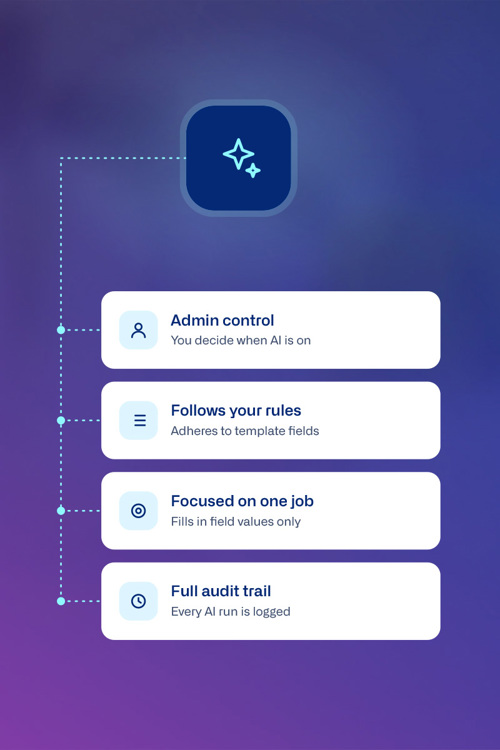
Bringing AI into finance processes means you need to stay in control. AI capture is designed to work with your existing controls.
✓
Stay in full control. Only administrators can set up the AI provider and activate AI capabilities. Nothing is switched on without a deliberate decision.
✓
Follows your rules. The AI follows your template’s fields and rules, and validates every document against your Business Central data.
✓
Focused on one job. The AI can only fill in field values for you — it can’t post, delete, or run other operations.
✓
Full audit trail. Every AI run is logged, so you always know when it was used, which instructions applied, and who ran it.
Plug in your own AI provider
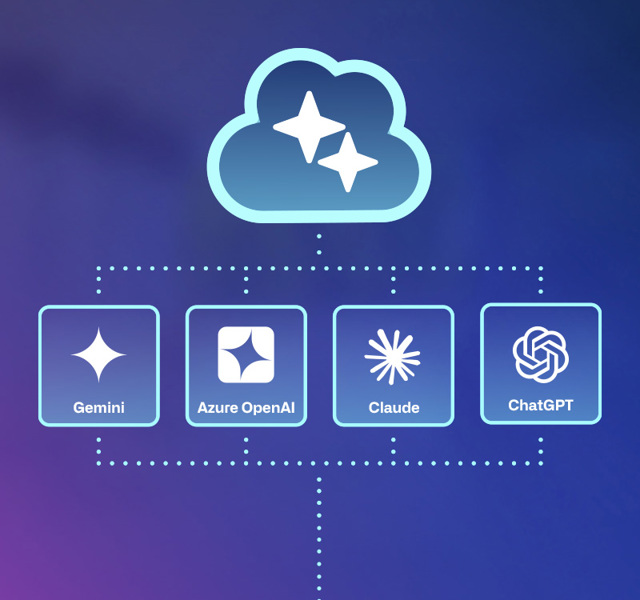
The Continia AI framework is a foundation layer that lets you bring your own AI to Business Central. To use Generative AI Capture, you’ll need your own subscription with one of the supported providers: Anthropic, OpenAI, Gemini, or Azure OpenAI.
You’re never locked into one provider, and you decide which model handles which task. Continia carefully pre-selects a recommended default model for each task, so you can get started right away and adjust whenever you like.

Built inside Business Central
Most AI tools for finance connect to your ERP from the outside. GenAI Capture is part of Business Central itself: same screens, same database, same login. It’s just Business Central, doing more.
✓
Nothing new to learn. Run GenAI Capture and write prompts on the document card and vendor template your team already knows.
✓
One workflow. Capture, review and register invoices in one place, without switching between systems.
✓
Single data source. Values are checked against your vendors, accounts and dimensions in Business Central’s database.
Put generative AI to work on your trickiest invoices
Turn on GenAI Capture for the vendors that slow you down, and keep the Business Central workflow your team already knows.
Explore Document CaptureFrequently asked questions
-
What’s the difference between AI Capture and GenAI Capture?
AI Capture enhances classic OCR line recognition with machine learning AI and captures the lines more accurately. It runs on the Continia Cloud OCR engine and uses Azure Document Intelligence.
GenAI Capture is a separate capability built on large language models (LLM). It handles invoices with complex or unfamiliar layouts and lets you reshape data with custom prompts. It sits on its own page in Document Capture, called Continia AI capabilities, where you activate it and choose an AI provider and model.
-
What’s the difference between OCR and LLM invoice capture?
OCR reads text from fixed positions and depends on templates. LLM capture reads the whole invoice in context, understands what each value means, handles unfamiliar layouts and follows plain-language instructions.
-
Which AI tools can I use with this feature?
Claude, ChatGPT, Gemini, or Azure OpenAI with your own subscription keys. Continia recommends a default model for each task, and you can switch at any time.
-
Can the Document Capture's generative AI post or change data in Business Central?
No. It can only fill in field values on the captured document. It cannot post, delete or run any other operation.
-
Which document types are supported?
Document Capture goes far beyond purchase invoices - there are no limits on document type. Out of the box, it captures sales and purchase orders, credit notes, delivery notes, prepayments, etc., picking out the right details for each. GenAI Capture also works with your own custom document types related to purchase and sales. You can easily manage them all in one place: the document journal.
-
Is my invoice data used to train AI models?
Document Capture goes far beyond purchase invoices - there are no limits on document type. Out of the box, it captures sales and purchase orders, credit notes, delivery notes, prepayments, etc., picking out the right details for each. GenAI Capture also works with your own custom document types related to purchase and sales. You can easily manage them all in one place: the document journal.
-
How is GenAI Capture priced?
You pay your AI provider directly through your own subscription, based on the number of tokens each document uses. The cost depends on the document’s length and content, your instructions, the model you choose, and how many fields the AI needs to fill in. The more fields on your template, the higher the cost, since generating output is the most expensive part.
-
What data is shared with the AI model?
Continia is fully transparent about what data each AI capability in Continia Document Capture shares with your AI model. You can see exactly which invoice data is sent to your chosen AI provider when using GenAI Capture. Read the full details in our documentation.