- Use cases
- Process invoices faster with AI and Vendor Intelligence
Document Capture
Process invoices faster with AI and Vendor Intelligence
See how Document Capture takes the manual work out of your accounts payable. Read on to discover:
- ✔ What Document Capture can do for your AP team
✔ How AI and Vendor Intelligence capture your data
✔ Your automated invoice process, step by step
✔ How e-invoicing lets you skip capture altogether
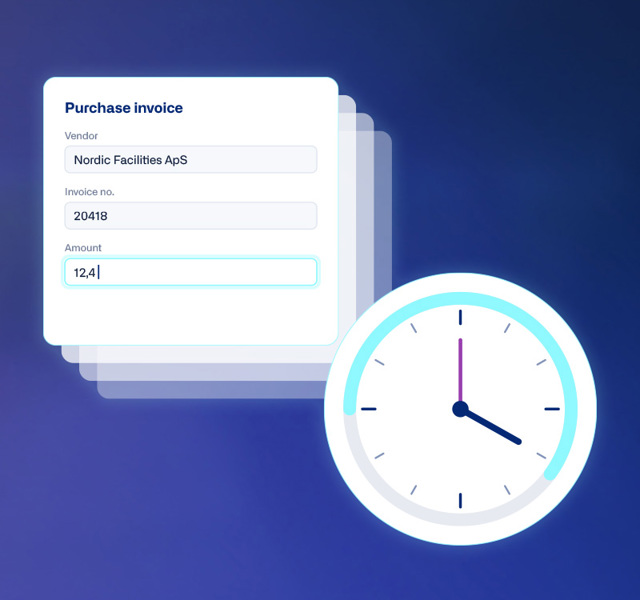
The hidden cost of manual data entry
One invoice takes a few minutes to enter into the system, but multiply that by every invoice and those minutes add up to hours every week. Every vendor’s invoice has a different layout, so someone on your accounts payable (AP) team has to find and enter the details correctly in Business Central, and assign each line to the correct account.
And time is only part of it. A typing error, a missing invoice, or a vendor’s bank details quietly changing can lead to payment delays or even fraud, and every mistake has to be found and fixed.
What Document Capture can do for your AP team
Lower costs
Handle growing invoice volumes without adding staff, and spend less on printing, shipping, and copying.Fewer errors
AI and Vendor Intelligence capture the details for you, cutting down on the typing mistakes that come with manual entry.Higher productivity
Invoices reach approval sooner, so you stay on top of due dates and month-end feels calmer.Go paperless
Scanned paper invoices are captured just like digital ones, helping eliminate those never-ending stacks of documents.Easier access
Every document is searchable in your digital archive, so any invoice is quick to find whenever you need it.Better security
Fewer people handle sensitive data, and built-in fraud checks flag changes to a vendor’s bank account, VAT number, or phone number.
Let AI and Vendor Intelligence take care of your data capture
Continia Document Capture automatically captures and processes incoming invoices and other document types for you, so your team can focus on reviewing and approving rather than entering data. You decide how much to rely on AI and where your own rules apply, staying in control every step of the way.
AI data capture
AI-powered data capture recognizes the key details on each invoice, such as vendor, invoice number, dates, amounts, and VAT, and fills them in for you, even on layouts it hasn't seen before. With context-aware capture, it reads individual invoice lines too and suggests the right account for each line based on your previous invoices. You can also give it instructions, such as how to combine text or calculate amounts based on conditions you set.
Vendor Intelligence
AI is great at reading invoices, but paying them shouldn't involve guesswork. With Vendor Intelligence, you set up each vendor just once per document type. It remembers your choices and applies them to every future document from that vendor, giving you consistent processing with a clear trail for audits.
Your automated invoice process, step by step
01
You receive your invoice
Invoices emailed as PDFs land in Business Central automatically. Paper invoices can be scanned straight in with a network scanner.
04
The invoice is matched
Automatic three-way matching compares the invoice to the related purchase order and receipt.
02
AI captures the invoice
As the invoice is imported into the document journal, AI captures the key details, and Vendor Intelligence recognizes the vendor and applies the rules you’ve set for them.
05
The document is registered
Register the document, and Document Capture automatically creates a purchase invoice in Business Central from everything it captured.
03
You review the details
You check the AI-captured details and AI-suggested accounts in the document journal. Anything uncertain is easy to spot and fix.
06
The invoice is approved and posted
The invoice is automatically routed for approval in Business Central or the Continia Web Approval Portal. Once approved, it’s posted, ready for payment, and securely archived for audits.
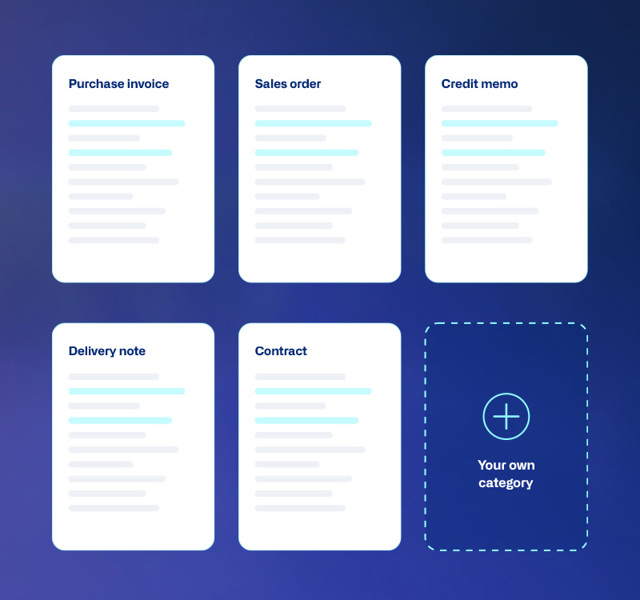
Seamlessly process all document types
Document Capture goes far beyond purchase invoices. It also captures sales orders, credit memos, delivery notes, and contracts, picking out the right details for each. You manage them all in one place: the document journal.
Need something else? Create your own document categories for anything your business receives.
Skip capture altogether with e-invoicing
AI processes PDF invoices quickly. E-invoices are processed almost instantly. An e-invoice arrives as structured data, so there's nothing to read or recognize, and every detail goes straight into the right field in Business Central.
With the Continia Delivery Network, your vendors' e-invoices arrive directly in Document Capture. With the right rules in place, they can be registered and even posted automatically, without anyone touching them. Learn more about e-invoicing →
No capture step
The invoice data is ready to use the moment it arrives.
One place for everything
E-invoices and PDF invoices flow through the same document journal.
Straight-through processing
Your rules register and post e-invoices automatically.
Ready for what's coming
Connect to the Peppol network as e-invoicing becomes required in more countries.
Modernize your AP process with AI and Vendor Intelligence
See the benefits for yourself in a demo with our Document Capture specialists, and find out how much time and money your team could save on invoice processing.
Book a demo